Most websites aren't hacked by a genius targeting them personally. They're hacked by automated bots scanning millions of sites for known weaknesses: outdated plugins, weak passwords, exposed admin pages, unsafe forms. If your site has one of those gaps, it will eventually be found.
The good news is that most of those gaps are preventable.
I'm Aldrian, an independent developer. I harden WordPress sites, online stores and web apps against the attacks that actually happen.
I build security tools myself
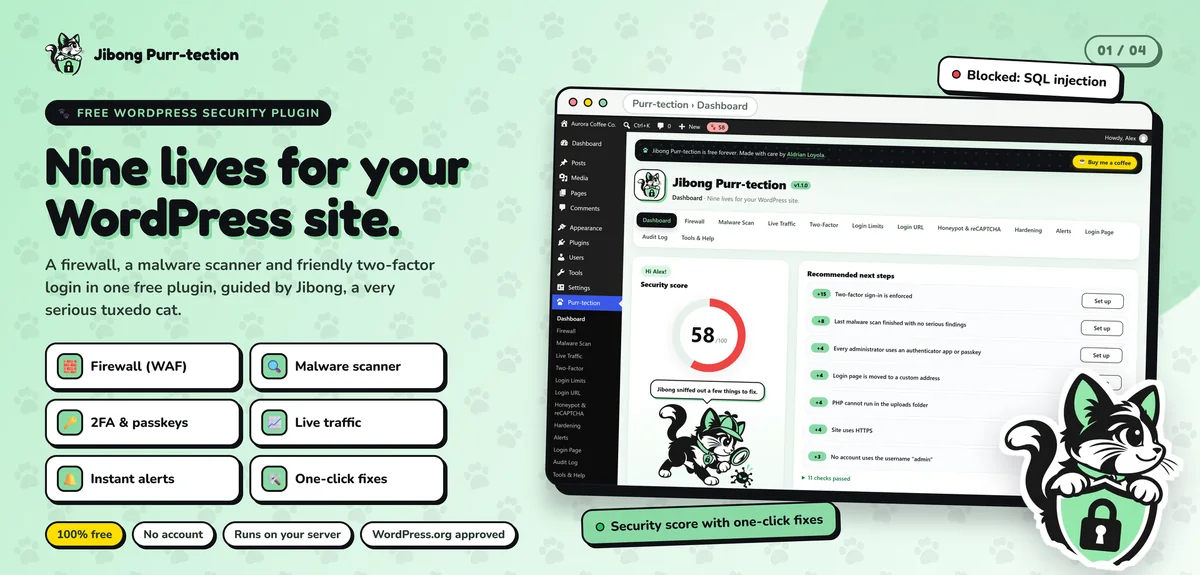
I built Jibong Purr-tection, a free WordPress security plugin approved and listed on WordPress.org. It includes a web application firewall that checks every request, with a learning mode before it blocks anything; a malware scanner that compares WordPress core and plugins with official checksums; and login security with two-factor sign-in by email code, authenticator app or passkey, plus brute-force protection.
I also built Ghostly, an encrypted chat app where messages and photos are encrypted in the browser with AES-256-GCM, and the key lives in the part of the link browsers never send to a server, so the backend only ever stores ciphertext.
Building security software means thinking like an attacker every day. I bring that to every site I harden.
Layers of protection
Good security isn't one plugin. It's several layers, so if one fails, others still protect you.
1. Keep software current
Outdated plugins, themes, CMS cores and PHP versions are the most common way in. I update them carefully, test after updating and replace abandoned plugins with maintained alternatives.
2. Strong login security
- Two-factor authentication for every admin
- Strong, unique passwords and a password manager
- Brute-force protection and login rate limits
- Hiding or limiting access to admin and login pages where it helps
- Removing old and unused accounts
3. Least-privilege access
Each user gets only the role they need. Editors don't need admin rights. Old developers and agencies lose access when they're done. Hosting, FTP and database accounts are reviewed too.
4. Firewall
A web application firewall blocks common attack patterns before they reach your site. Depending on your setup, this can run at the server, in a plugin or at the edge through a service like Cloudflare.
5. Secure headers and HTTPS
HTTPS everywhere with HSTS, plus security headers like Content Security Policy, X-Frame-Options and Referrer-Policy. My own website uses a nonce-based Content Security Policy and strict security headers.
6. Safe forms and code
- Validating and sanitizing all input
- Escaping all output
- Prepared database queries
- CSRF protection on forms
- Spam protection that doesn't block real people
- File uploads restricted by type and size, stored safely
7. Secrets kept secret
API keys, passwords and tokens stored in environment settings or a secrets manager, never in code, themes or public files. I check for keys already leaked in code or repositories.
8. File and server hardening
Correct file permissions, disabling file editing from the WordPress admin, blocking PHP execution in upload folders and protecting configuration files.
9. Backups and recovery
Automatic, off-site backups that are tested. When all else fails, a clean backup is what saves you.
10. Monitoring and alerts
File change detection, malware scans, uptime monitoring and alerts for suspicious logins.
Security for web apps
For custom apps, hardening also includes:
- Authentication and session handling done properly
- Role and permission checks on every action, on the server
- Rate limits on sensitive endpoints
- Webhook signature verification
- Dependency audits for known vulnerabilities
- Logging that helps investigate problems without storing sensitive data unnecessarily
Privacy and the Data Privacy Act
Security protects personal data. For businesses in the Philippines, the Data Privacy Act sets obligations for collecting and protecting personal information. I handle the technical safeguards and recommend you confirm your policies and notices with your own advisor or data protection officer.
What a security review includes
- A check of software versions, plugins and known vulnerabilities
- User accounts, roles and login settings
- Server, file and configuration settings
- Security headers and HTTPS
- Forms, uploads and custom code
- Backups and recovery
- A plain-language report with prioritized fixes
Then I fix the issues, or guide your team through them.
Common security mistakes
Pirated themes and plugins. Many contain hidden malware.
Shared admin logins. When everyone uses one account, you can't remove access or trace actions.
Ignoring update notifications. Each one is often a security fix.
Backups on the same server. They're lost along with the site.
Too many security plugins. Overlapping plugins conflict and slow the site. One good layer per job is better.
Security that people will actually use
The strongest settings fail if your team works around them. Two-factor login that's too annoying gets disabled. Passwords that are too complex get written on sticky notes. I pick protections that fit how your team works, like passkeys instead of long codes where possible, explain why each one matters and keep the day-to-day experience simple. Good security should feel mostly invisible.
How we'd work
- Tell me about your site and share access.
- I review and send a report and fixed quote.
- I harden the site, testing as I go.
- We set up monitoring and backups.
- You get documentation of what changed.
Let's close the gaps
Tell me about your website or app. I'll reply with a plan and a fixed quote.