Every codebase gets messy over time. Quick fixes pile up. Different developers bring different styles. Functions grow to hundreds of lines. The same logic gets copied into five places. Eventually, nobody wants to touch it, and simple changes take days because every edit risks breaking something unexpected.
That's technical debt, and like any debt, the interest keeps growing.
I'm Aldrian, an independent developer. I refactor PHP, WordPress and JavaScript codebases into clean, readable, tested code, step by step, without changing what they do for your users.
What refactoring is, and isn't
Refactoring is restructuring code to make it clearer and easier to change, while keeping its behavior the same.
Refactoring isn't a rewrite. It doesn't throw away working code and start over. It improves the code in small, safe steps, so the system keeps working throughout.
Signs your code needs refactoring
- Simple changes take far longer than they should
- Fixing one bug creates two more
- New developers take weeks to understand anything
- The same logic is copied in several places
- Huge files and functions doing many things at once
- No tests, so nobody knows what a change will break
- Old PHP versions that can't be upgraded because the code relies on outdated features
- Security issues like unescaped output or raw database queries with user input
My approach
1. Understand before changing
I read the code, map how it fits together and find the critical paths, like checkout, login, payments or reporting, that must never break.
2. Add safety nets
Before changing risky code, I add tests or careful manual test scripts that capture current behavior. If a refactor changes behavior, the tests catch it.
3. Small, reviewable steps
Rename unclear variables. Extract repeated logic into shared functions. Split large files. Replace deep nesting with clear early returns. Each change is small, tested and committed separately, so it's easy to review and easy to undo.
4. Modernize safely
Bring code up to current PHP standards: type declarations, modern syntax, proper error handling, Composer for dependencies and autoloading where it fits.
5. Fix security issues along the way
Escaping output, validating input, using prepared database statements, checking permissions and nonces in WordPress, and removing secrets from code.
6. Document
Clear comments where the code isn't obvious, a short README and notes on how the pieces fit together, so the next developer starts faster.
Clean code in practice
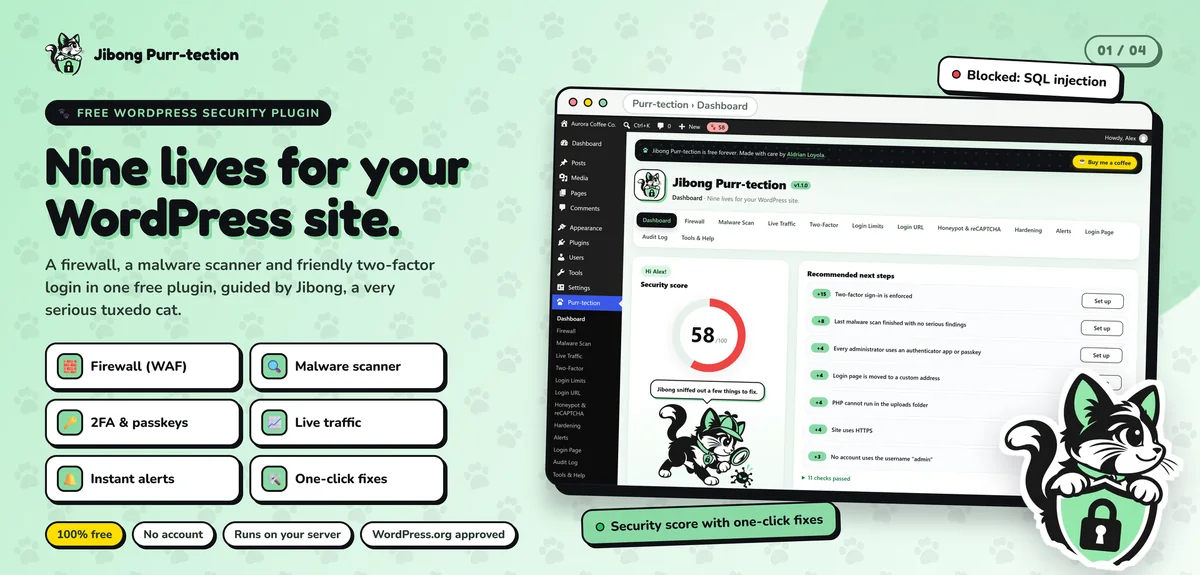
My own WordPress plugin, Jibong Purr-tection, is built to the standards required for listing on WordPress.org: a web application firewall, a malware scanner that compares files with official checksums and two-factor login with passkeys, all in clean, reviewed PHP and JavaScript. Getting a security plugin approved for the official directory means the code has to be readable, safe and well-structured.
On Artic Flex, refactoring meant reviewing a child theme's outdated WooCommerce template overrides one by one, keeping and rebuilding the few still needed and removing the rest, then patching plugin code for PHP 8.4 compatibility.
WordPress-specific cleanup
WordPress projects have their own common mess:
- Thousands of lines of code dumped into functions.php
- Copied WooCommerce templates that went stale
- Custom code mixed into the theme when it belongs in a plugin
- Direct database queries without preparation
- Missing escaping and permission checks
- Hard-coded URLs, IDs and API keys
I move custom functionality into a proper site plugin, replace overrides with hooks where possible, add escaping and checks and remove hard-coded values. More on custom WordPress plugins.
PHP version upgrades
Old code often blocks PHP upgrades because it relies on removed functions or behaviors. Refactoring makes the code compatible with modern PHP, which brings better speed and continued security updates.
When to rebuild instead
Sometimes code is so tangled, or the platform so outdated, that refactoring costs more than rebuilding. I'll tell you honestly after reviewing it. More on legacy rebuilds.
Common refactoring mistakes
Big-bang rewrites disguised as refactoring. Huge changes at once are risky and hard to review.
Refactoring without tests. Without a way to confirm behavior, you're guessing.
Changing behavior by accident. Refactoring should be invisible to users.
Style-only changes. Reformatting files without improving structure adds noise without value.
Ignoring the team. The people who work with the code daily know where it hurts most.
What you get at the end
- Code that new developers can understand in hours, not weeks
- Tests around the parts of the system that matter most
- Faster, safer changes from now on
- Fewer surprise bugs after updates
- A clear history of every change in version control
What it usually costs
Often the first step is a code review with a written report of the main problems and a prioritized plan. Then I quote fixed prices for each stage of cleanup, starting with the areas that cause the most pain.
How we'd work
- Share access to the code and a description of the pain points.
- I review and write a short report with priorities.
- You get a quote for the first stage.
- I refactor in small, tested steps.
- You review changes, with clear commit history.
- We continue stage by stage as needed.
Let's make your code easier to work with
Tell me about your codebase. I'll reply with a plan and a fixed quote.