Most website problems don't come out of nowhere. They build up quietly. A plugin goes unpatched for months. A backup stops running and nobody notices. The PHP version falls out of support. A form stops sending emails. Then one day the site is hacked, broken or painfully slow, and fixing it costs far more than preventing it would have.
I'm Aldrian, an independent web developer in the Philippines. I offer maintenance for WordPress, WooCommerce and custom websites, so the small things get handled before they become big ones.
What maintenance covers
The exact list depends on your site, but typical maintenance includes:
Updates, tested
WordPress core, plugins and themes updated regularly. Important updates are checked on a staging copy first, and key pages and features are tested after updating. No blind "update all" on a live site.
Backups
Automatic backups stored off the server, with a retention period that makes sense for your site. And backups that are actually tested, because a backup you can't restore is just a hope.
Security checks
Malware scanning, login protection, firewall monitoring and checks for abandoned plugins with known vulnerabilities. More on security hardening.
Uptime monitoring
Alerts when your site goes down, so problems are noticed in minutes, not days.
Form and checkout checks
Regular tests that contact forms send and that checkout works, because these break silently.
Speed checks
Periodic performance checks, image optimization for new content and cleanup of database bloat.
PHP and hosting health
Keeping PHP current after compatibility testing, watching disk and resource usage and coordinating with your host when needed.
Small changes
Text edits, image swaps, new pages from existing templates, banner updates and similar small tasks, within an agreed amount each month.
A simple monthly report
What was updated, what was checked and anything that needs your attention, in plain language.
Real maintenance work
My ongoing work for Artic Flex, a live WooCommerce store, includes security updates, WooCommerce care and a theme update that moved the whole site from PHP 7.4 to PHP 8.4, with the upgrade proven on staging before going live and 357 live pages checked afterward.
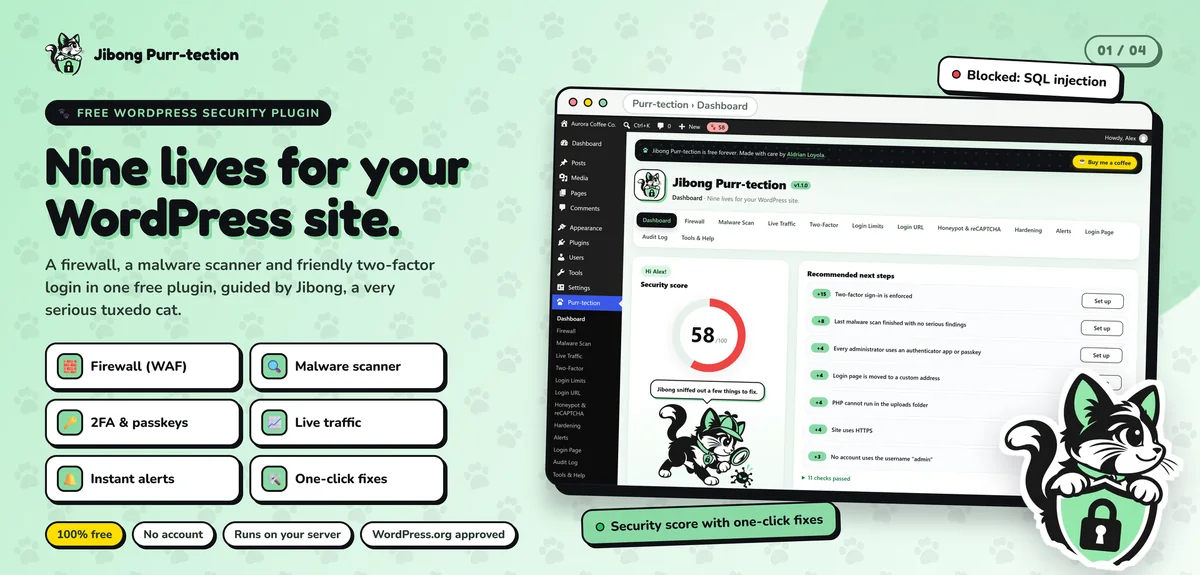
I also maintain Jibong Purr-tection, a free WordPress security plugin listed on WordPress.org. Keeping a plugin compatible with each new WordPress release keeps me close to how updates affect real sites.
Who maintenance is for
- Online stores, where downtime and broken checkout cost money directly
- Business websites that bring in leads and need to stay reliable
- Sites with many plugins, which need regular, careful updates
- Owners without a technical team, who want one reliable person to call
- Sites that have been hacked before, and can't afford it again
Maintenance for custom and static sites
Hand-coded and static sites need much less maintenance than WordPress, which is one of their biggest advantages. They still benefit from occasional dependency updates, uptime monitoring, form checks, content updates and speed reviews. I offer lighter plans for these.
How plans work
I don't push a one-size package. After looking at your site, I'll suggest a plan that matches its size, how often it changes and how critical it is to your business. The plan lists exactly what's included each month, how quickly I respond and how extra work is handled. The price is fixed and agreed before we start.
Some businesses prefer on-call help instead of a monthly plan. That works too. You'll know the cost of each job before I start.
What happens when something breaks
With maintenance, you already have a developer who knows your site. When something goes wrong:
- You message me, or monitoring alerts me first
- I check the issue and tell you what's happening
- I fix it, or restore from backup if needed
- You get a short explanation of what happened
No hunting for a freelancer in a panic, and no explaining your site from scratch.
Common maintenance mistakes
Auto-updating everything with no testing. Convenient until an update breaks checkout on a Saturday.
Never updating at all. Outdated plugins are one of the most common ways sites get hacked.
Backups stored on the same server. If the server fails or is hacked, the backups go with it.
No monitoring. Many owners learn their site is down from customers.
Paying for maintenance that does nothing. A good plan comes with a clear report of what was actually done.
Same time zone, quick replies
Working with a developer in the Philippines means your maintenance requests are seen during your business day. If something breaks in the morning, you're not waiting for someone overseas to wake up. For international clients, I overlap well with Australian business hours and with US mornings or evenings.
Getting started
Before maintenance starts, I do an onboarding review: I check the current state of the site, fix urgent issues, set up backups and monitoring, and document the setup. That gives us a clean starting point.
How we'd work
- Send me your site and tell me what you'd like covered.
- I review the site and suggest a plan.
- You get a quote with a clear list of inclusions.
- I onboard your site and fix anything urgent.
- Maintenance runs monthly, with reports.
Let's keep your site healthy
Send me your website address. I'll reply with a suggested plan and a fixed price.