Finding out your website has been hacked is a horrible feeling. Customers message you about strange redirects. Google shows pages in a language you don't speak. Your host suspends your account. Chrome warns visitors that your site is dangerous. And you have no idea where to start.
I'm Aldrian, an independent web developer in the Philippines. I clean hacked WordPress and WooCommerce sites, find out how the attacker got in, close that hole and harden the site so it doesn't happen again.
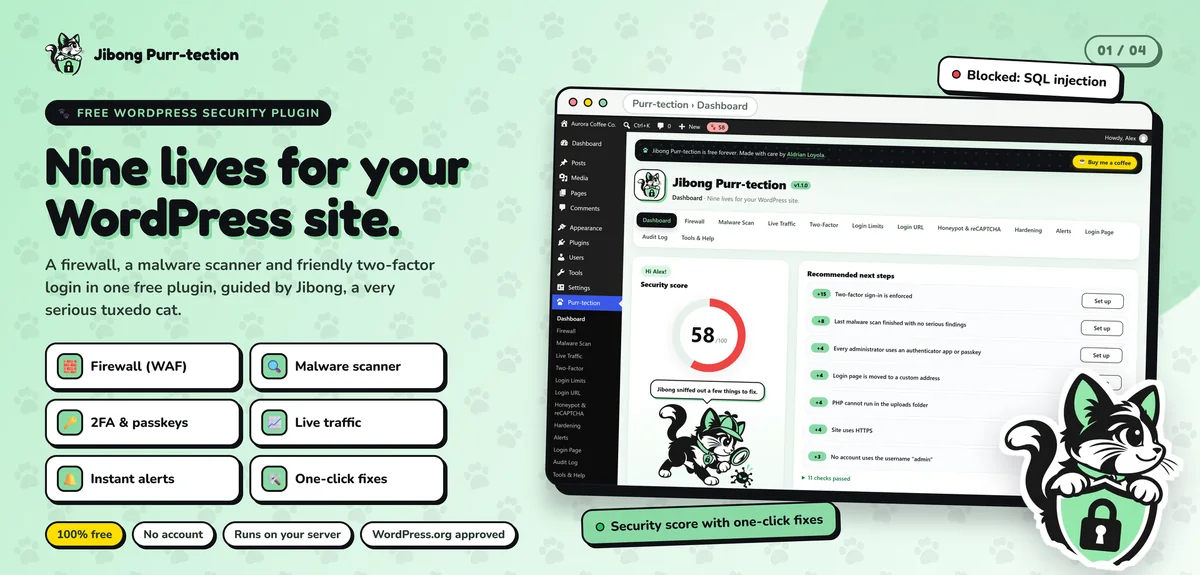
I also built and maintain Jibong Purr-tection, a free WordPress security plugin approved on WordPress.org, with a firewall, a malware scanner that compares files with official WordPress.org checksums and two-factor login. Security is something I work on every day, not just when there's an emergency.
Signs your WordPress site is hacked
- Visitors get redirected to spam, gambling, pharmacy or adult sites, often only on mobile or only from Google
- Google search shows strange pages, often in Japanese or other languages, under your domain
- Chrome or Google shows a "deceptive site" or malware warning
- Your host suspends the account or warns about malicious files
- New admin users you didn't create
- Unknown files or folders on the server
- Your site suddenly becomes very slow or sends spam email
- Pop-ups or ads you didn't add
Some hacks are designed to hide from the owner. They only show to visitors from Google, or only on phones. If customers report something strange, take it seriously even if you can't see it yourself.
What to do right now
- Don't panic, and don't delete everything. Evidence helps find the cause.
- Change passwords for WordPress admin, hosting, FTP, database and email.
- Don't restore a random backup without checking it. Many backups already contain the infection.
- Contact your host to understand any suspension.
- Get help from someone who cleans sites properly.
How I clean a hacked site
1. Take a snapshot
I back up the infected site as it is. It sounds strange, but it preserves evidence and protects your content if anything goes wrong.
2. Find the infection
- Compare WordPress core, plugin and theme files with clean official copies
- Search for injected code, backdoors and suspicious files
- Check the database for malicious scripts, spam pages and rogue admin users
- Review server configuration files that can be used for redirects
- Check scheduled tasks that might reinfect the site
3. Clean thoroughly
- Replace core files with clean copies
- Reinstall plugins and themes from official sources
- Remove backdoors, injected code and spam content
- Delete unknown admin accounts
- Clean the database
4. Close the hole
Cleaning without fixing the cause means getting hacked again, often within days. Common entry points:
- Outdated or abandoned plugins and themes with known vulnerabilities
- Nulled or pirated premium plugins, which often come with malware built in
- Weak or reused passwords
- Old PHP versions
- Compromised hosting accounts or neighboring sites on shared hosting
- Insecure file permissions
I find the most likely cause and fix it.
5. Harden the site
Firewall, login protection, two-factor authentication, file change monitoring, secure permissions and updated software. More on website security hardening.
6. Restore trust
- Request review in Google Search Console if your site was flagged
- Remove spam URLs from Google's index where needed
- Help you respond to your host
- Check that email deliverability isn't affected
7. Report
A plain-language report: what was found, what was removed, how they got in and what changed.
Hacked WooCommerce stores
Hacked stores need extra care, because customer data and payments may be involved. I check checkout pages for injected scripts that steal card details, review payment plugin integrity and recommend next steps if customer data may have been exposed. Under the Data Privacy Act, some breaches have reporting duties, and I'll recommend you confirm those with your own advisor.
Should you rebuild instead?
Sometimes. If a site has been reinfected many times, runs on abandoned plugins or is built on a theme that can't be updated, cleaning it may only buy time. In that case, a rebuild with a clean custom theme can be cheaper over the long run. I'll tell you honestly.
Common mistakes after a hack
Only deleting the files you can see. Backdoors hide in many places.
Restoring an infected backup. The problem comes right back.
Not changing passwords. Attackers often still have them.
Skipping updates afterward. The same hole gets used again.
Ignoring Google warnings. They won't go away on their own. A review request is needed.
Preventing the next one
Most hacks I see could have been prevented with regular updates, backups and a few security basics. A maintenance plan keeps all of that handled for you.
How it works
- Message me with your site address and what you're seeing.
- I review quickly and send a fixed quote.
- I clean, fix and harden the site.
- We request reviews from Google or your host if needed.
- You get a report and recommendations.
Let's get your site clean
Tell me what's happening. I'll reply as soon as possible with next steps and a fixed quote.