Good design isn't decoration. It's the difference between a visitor who finds what they need in ten seconds and one who gives up. Between an admin screen your team enjoys and one they work around. Between a checkout that converts and one that leaks customers.
I'm Aldrian, an independent designer and developer. I design user interfaces and user experiences for websites, stores and web apps, and then I build them. You don't lose anything between the design file and the finished product, because the same person does both.
Designs I've built
Ghostly
Ghostly is an encrypted chat app I designed and built. The challenge was to make private conversations effortless: no sign-up, nothing left behind and a server that never sees what people say, while still feeling instant and friendly on a phone. The design focuses on a single clear flow: create a room, share a link or QR code, talk. It has light and dark mode and a mobile-first interface.
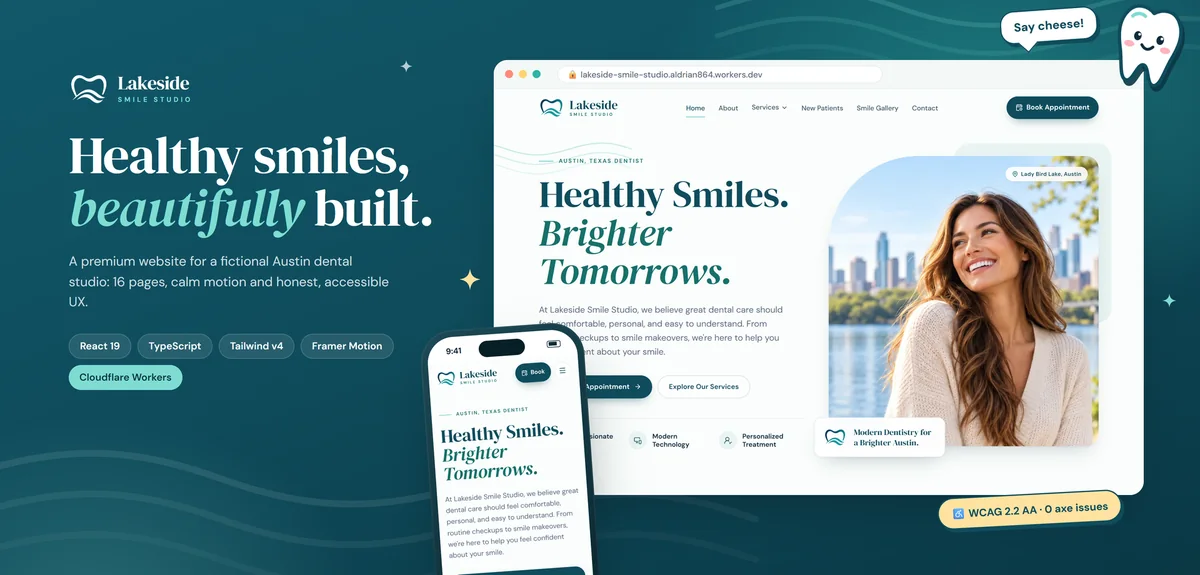
Lakeside Smile Studio
The Lakeside Smile Studio demo shows what a modern small-business website can be: easy to navigate, fast, accessible to everyone and honest, with no fake reviews, ratings or credentials.
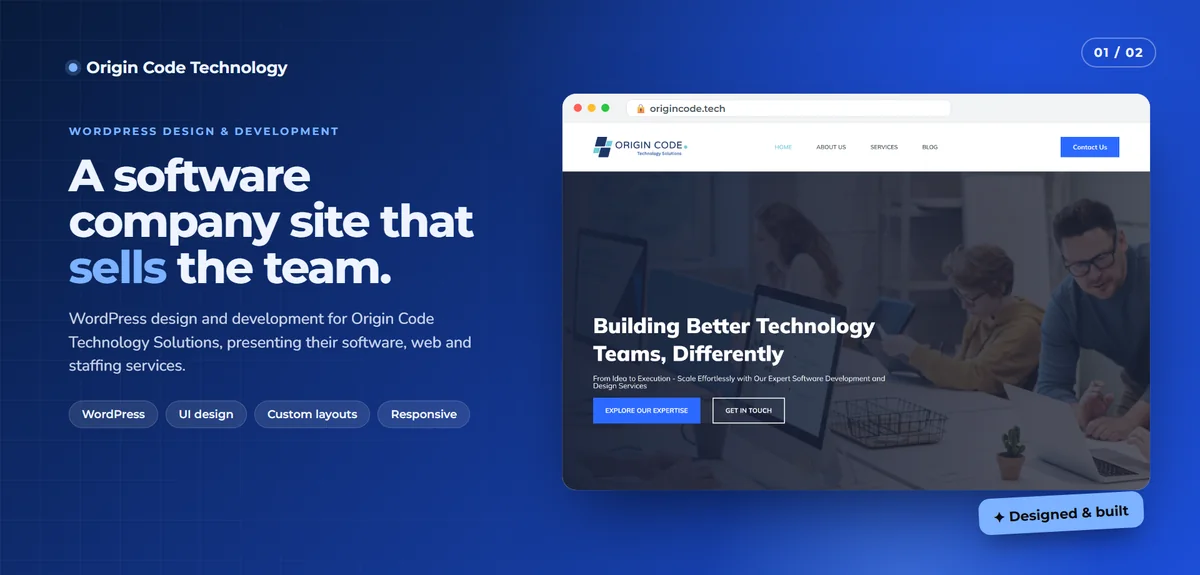
Origin Code Technology
For Origin Code Technology, a software company, I designed and built a site with a bold hero, clear calls to action, a services section and an about section that tells the company story.
What UX means in practice
User experience design is about making the right thing easy. For each project, I ask:
- Who's using this? Their goals, context, devices and comfort with technology.
- What do they need to do? The main tasks, in order of importance.
- What gets in the way? Confusing labels, too many steps, slow pages, unclear next steps.
- What does success look like? An inquiry, a booking, a purchase or a task completed quickly.
Then the design removes friction from the most important paths.
What UI means in practice
User interface design is how it looks and feels:
- Typography that's readable and has personality
- Spacing that gives content room to breathe
- Color used with purpose, with enough contrast for everyone
- Consistent components: buttons, forms, cards and navigation that behave the same everywhere
- Clear states: hover, focus, loading, success and error
- Motion that guides attention without distracting, and respects people who prefer reduced motion
I lean toward minimal, modern design with thoughtful details, but I adapt to your brand and audience.
What I design
- Business websites and landing pages
- Online stores, especially product pages and checkout flows
- Web apps: dashboards, admin panels, portals and onboarding
- Forms and multi-step flows like bookings, applications and quotes
- Design systems with reusable components for consistent growth
Design that survives contact with code
Many beautiful designs fall apart when built, because they ignore real content lengths, screen sizes, loading states or performance. Because I build what I design, I design with those realities in mind:
- Layouts that adapt between screen sizes, not just two fixed widths
- Real content, not perfect placeholder text
- Empty, loading and error states designed upfront
- Image and font choices that keep pages fast
- Components that map cleanly to code
If you already have a designer, I'm happy to build their work too. See Figma to website.
Accessible by design
Accessibility starts in design: contrast, font sizes, focus states, tap target sizes, clear labels and logical order. Fixing these later costs more. I design to WCAG guidelines from the start. See accessibility.
My design process
1. Understand
Goals, users, content and constraints. Existing analytics and feedback if you have them.
2. Structure
Page structure and user flows, sketched simply before visual design.
3. Design key screens
The most important pages or screens designed first, so we agree on direction early.
4. Refine
Feedback rounds focused on clarity and usability, not just taste.
5. Build
I build the design as clean, fast, accessible code.
6. Test with real people
Watching real users try the main tasks often reveals problems no one expected.
Common UI and UX mistakes
Cleverness over clarity. Creative navigation labels that nobody understands.
Too many choices. Every extra option makes decisions harder.
Low contrast. Light grey text on white looks elegant and is hard to read.
Hidden actions. Important buttons tucked into menus.
Designing only for desktop. Most visitors are on phones.
Ignoring errors. Forms that fail without explaining why.
Small details that add up
Good interfaces are built from many small decisions: a button label that says exactly what will happen, a form that remembers what you typed after an error, a confirmation that appears in the right place, a loading state that shows progress instead of a blank screen. None of these are dramatic on their own. Together, they make a product feel trustworthy and calm to use.
What it usually costs
It depends on the number of screens, flows and whether I'm also building. Design and build together is usually the most efficient. You'll get a fixed quote after we talk.
How we'd work
- We talk about your users, goals and current problems.
- I propose a scope and approach.
- You get a quote with timeline and fixed price.
- I design key screens and refine them with you.
- I build, sharing a live preview.
- We test with real users and launch.
Let's make it easy to use
Tell me about your website or app. I'll reply with ideas and a fixed quote.