Leads come in through your website, Messenger, email, referrals and phone calls. Someone writes them in a notebook or a spreadsheet. Follow-ups depend on memory. A promising lead goes quiet and nobody notices for two weeks. Sound familiar?
A CRM, short for customer relationship management, fixes that by keeping every contact, conversation and next step in one place. But big CRM platforms can be expensive per user, packed with features you'll never use and hard to fit to how your small team actually works.
I'm Aldrian, an independent developer. I build simple, custom CRMs for small businesses, agencies, freelancers and service companies.
I built one for myself
My own website has a custom CRM in its admin area. Every client has a record with their contact details, source, status, notes and follow-up dates, and I can see at a glance who needs attention. Inquiries from my website forms are stored too, so nothing depends on email alone. I use it daily, so I know which features actually matter and which just add clutter.
What a simple CRM can include
Contacts and companies
Everyone you deal with, with their details, history and related deals. Search and filter instantly.
Leads straight from your website
Contact forms, quote requests and booking inquiries create leads automatically, with the page they came from and any campaign details. No copying and pasting. More on lead generation websites.
Pipeline
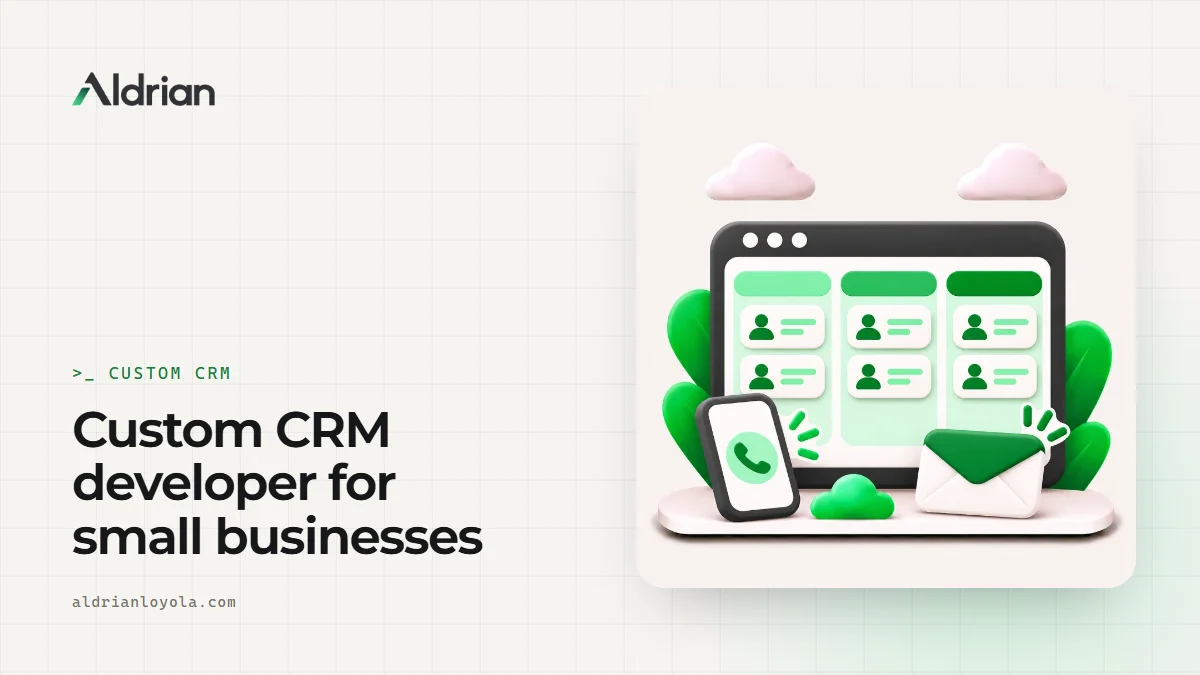
Deals moving through your stages, like new, contacted, proposal sent, negotiating, won or lost. A simple board or list shows where everything stands.
Follow-ups and reminders
Each lead has a next step and a date. Overdue follow-ups are highlighted, and reminders can arrive by email.
Notes and activity
Calls, meetings, emails and notes recorded on each contact, so anyone on your team can pick up where someone else left off.
Quotes and documents
Attach proposals and contracts, or generate simple quotes from templates.
Reports
Leads by source, conversion rates, deals won by month, response times. The numbers that help you decide where to focus.
Team roles
Assign leads to team members, with access rules for who sees what.
Why custom instead of an off-the-shelf CRM?
Off-the-shelf CRMs are great for many teams. A custom CRM can make more sense when:
- Per-user fees are adding up for a growing team
- You only need a fraction of the features
- Your process doesn't fit their pipeline model
- You want leads, clients, projects and invoices in one system
- You want to own your data and the tool
If an existing CRM fits you well, I'll tell you, and I can integrate your website with it instead. More on API integration.
Built to fit your business
Every business sells differently. A recruitment agency tracks candidates and employers. A contractor tracks site visits and quotations. A clinic tracks patient inquiries. A B2B supplier tracks accounts and reorders. I design the CRM around your process, with the fields, stages and reports you actually use.
From CRM to client portal
Once clients are won, the same system can power a client portal, where clients see project status, documents and invoices. Leads, clients and delivery live in one place.
Secure and fast
- Secure sign-in with roles and permissions
- Server-side checks on every action
- Daily backups, and your data exportable anytime
- Fast on phones for staff on the go
- Built on a modern stack with low running costs
Common mistakes with CRMs
Too many fields. If entering a lead takes five minutes, nobody does it. Keep it lean.
No automatic lead capture. Manual entry means missing leads.
No follow-up dates. A CRM without next steps is just a contact list.
Nobody owns the data. Assign leads to people.
Never looking at the reports. The point is to learn what works.
Getting your team to use it
The best CRM is the one your team actually uses. I keep screens simple, make the most common actions one click and set up a short walkthrough. Importing your existing contacts and leads at launch means the CRM is useful from day one.
Works with the tools you already use
A CRM doesn't need to replace everything. It can send new leads to your team chat, add contacts to your email marketing list, sync meetings with your calendar and push won deals to your invoicing tool, depending on what those tools support.
Your data, always yours
With a custom CRM, your customer data lives in a database you own. You can export everything to a spreadsheet anytime, move to another tool later or connect it to new systems. There's no risk of a vendor raising prices, changing features or locking your data behind a higher plan.
What it usually costs
A focused CRM with contacts, leads from your website, a pipeline and follow-ups is a sensible first version. Quotes, portals, integrations and advanced reports can be added later. You'll get a fixed quote after we talk.
How we'd work
- We talk about how leads come in and how you sell.
- I map your process and propose a first version.
- You get a quote with timeline and fixed price.
- I build with preview links.
- We import your contacts and test with your team.
- We launch, and I support you as the team settles in.
Let's stop losing leads
Tell me how your business handles leads today. I'll reply with a plan and a fixed quote.