Most businesses use a handful of tools: a website, a store, a CRM, accounting software, an email marketing platform, a courier, a payment gateway. Each one does its job. But between them, someone copies orders into a spreadsheet, retypes customer details into the CRM, exports a CSV every Friday and checks payment dashboards against invoices by hand.
API integrations connect these tools so data moves automatically, accurately and instantly.
I'm Aldrian, an independent developer. I build API integrations for websites, online stores and web apps.
What I can connect
Payments
Payment gateways like Stripe, PayPal, PayMongo, Xendit and Dragonpay, with webhooks that update orders reliably. More on payment integration.
CRMs and sales tools
Send website leads, quote requests and customer data into your CRM automatically, with source and campaign details.
Email and SMS
Transactional email services, marketing platforms and SMS providers for confirmations, reminders and newsletters. See automated notifications.
Accounting and invoicing
Push orders and payments into accounting software, or generate invoices automatically, where the software offers an API.
Couriers and logistics
Book shipments, generate waybills and fetch tracking updates from couriers that offer APIs.
Inventory and ERP
Sync stock levels and products between your website and inventory or ERP systems. See inventory integration.
Calendars and booking
Google Calendar, Outlook and booking platforms for appointments and staff schedules.
Spreadsheets and databases
Google Sheets, Airtable or your own database as a simple source or destination. See database integration.
AI services
Language and vision APIs for summarizing, classifying or extracting information, used carefully and with privacy in mind.
Your own systems
Custom internal APIs, legacy systems with export options or partner systems.
Reliable integrations, not fragile ones
Integrations often work in testing and fail quietly in real life. I build them to be dependable:
Webhooks done properly
When a service notifies your system about an event, the message is verified, processed once and acknowledged correctly.
Retries and queues
If a service is temporarily down, requests are retried automatically instead of being lost.
Rate limits respected
APIs limit how many requests you can make. Integrations are designed to stay within limits, even during busy periods.
Error alerts
When something fails repeatedly, you get an alert, not a silent problem discovered weeks later.
Logs
Each sync is recorded, so you can see what was sent, what came back and when.
Secure credentials
API keys and tokens stored as secrets in secure settings, never in code or public files, with the minimum permissions needed.
Custom code or no-code tools?
No-code tools like Zapier or Make are great for simple connections, and I'll recommend them when they fit. Custom integrations make more sense when:
- The volume is high and per-task fees add up
- You need complex logic, transformations or error handling
- Data is sensitive and you want it to pass through fewer services
- No-code connectors don't support what you need
- Reliability is critical
Sometimes the best answer is a mix.
Integrations inside WordPress
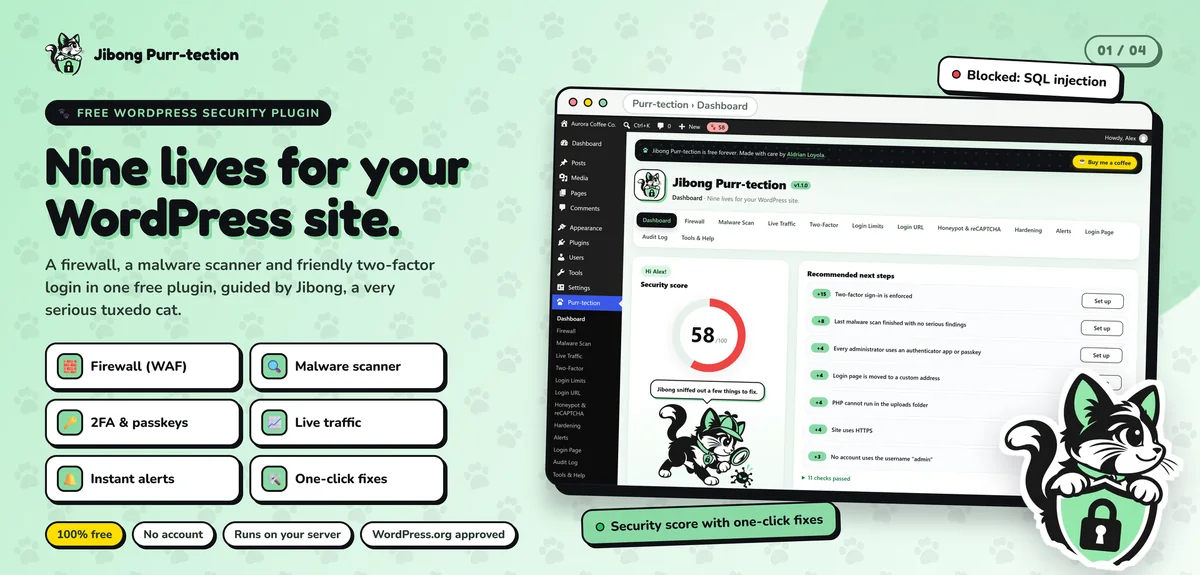
For WordPress and WooCommerce sites, I build integrations as clean custom plugins, using WordPress's own HTTP and scheduling tools, so they survive updates. I've built and published a WordPress plugin, Jibong Purr-tection, to WordPress.org standards, and client integrations follow the same care.
Serverless integrations
For standalone integrations, I often use serverless platforms like Cloudflare Workers. They respond quickly to webhooks, run scheduled syncs and cost little. My Ghostly app runs on the same platform.
How I approach an integration
- Read the documentation. Every API has quirks. I check authentication, limits, data formats and webhooks before quoting.
- Map the data. Which fields go where, how they're transformed and which system is the source of truth.
- Handle edge cases. Duplicates, deletions, partial failures and conflicting updates.
- Build and test in sandbox environments where available.
- Monitor after launch to catch anything unexpected.
Common integration mistakes
Assuming the happy path. Real integrations fail sometimes. Plan for it.
Two-way sync without a source of truth. Systems overwrite each other in loops.
No logs. When numbers don't match, you need to see what happened.
Keys in the code. A leaked key can expose your data or your money.
Polling too often. Constant requests waste resources and hit rate limits. Webhooks are better where available.
When an API changes
Services update their APIs over time, and old versions are eventually retired. Integrations need a little care to keep working. I document which API versions are used, watch for deprecation notices where possible and can update integrations as part of maintenance, so a provider's change doesn't break your business overnight.
What it usually costs
It depends on the APIs involved, the amount of data mapping and the reliability features needed. Simple one-way connections are small projects. Two-way syncs with complex data take more work. You'll get a fixed quote after I've reviewed the APIs.
How we'd work
- Tell me which tools you want connected and what should happen.
- I review the APIs and confirm what's possible.
- You get a quote with timeline and fixed price.
- I build and test in sandboxes.
- We go live carefully, often with a small test batch first.
- I hand over documentation and monitoring.
Let's connect your tools
Tell me which systems you use. I'll reply with what's possible and a fixed quote.