PHP is the language WordPress runs on, and old versions stop receiving security fixes. PHP 7.4 reached the end of its supported life in 2022. Hosts keep warning that they will switch it off, and many already charge extra to keep it running.
The upgrade itself is one setting in your hosting panel. The danger is what happens next. Code written for PHP 7 can fail on PHP 8: a white screen, a broken checkout, a plugin that stops working without any message. That is why so many sites are still on an old version.
I'm Aldrian Loyola, a WordPress developer in the Philippines. I have taken a live WooCommerce store from PHP 7.4 to PHP 8.4, and I can do the same for your site.
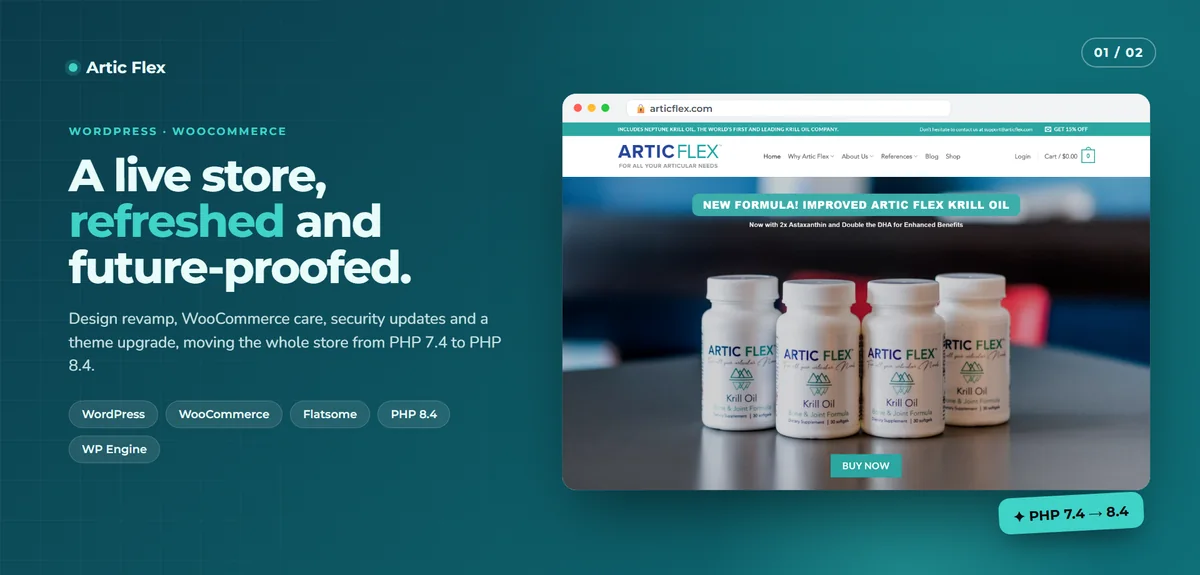
A real upgrade: PHP 7.4 to 8.4 on a live store
Artic Flex is a busy WooCommerce store. It ran on PHP 7.4 with an outdated theme setup and a long list of plugins, some no longer maintained.
- I replaced unmaintained plugins with supported ones.
- The child theme's outdated WooCommerce template overrides were reviewed one by one. The few still needed were rebuilt and the rest removed.
- Plugins were patched for PHP 8.4 compatibility.
- The whole upgrade was proven on a staging copy before going live.
- After the switch, 357 live pages were checked, and checkout, subscriptions and affiliate forms were tested.
The store now runs on PHP 8.4 on both live and staging.
Why upgrade
- Security. Unsupported PHP versions no longer receive fixes for newly found flaws.
- Speed. PHP 8 runs WordPress noticeably faster than PHP 7 on the same server.
- Compatibility. New versions of WordPress, WooCommerce and major plugins are dropping support for old PHP.
- Hosting. Many hosts are removing old versions or charging for extended support.
What breaks, and why
PHP 8 is stricter than PHP 7. Things that used to produce a quiet warning now stop the page:
- Functions removed from the language that old plugins still call.
- Code that passes the wrong kind of value to a function.
- Old theme template files copied years ago from WooCommerce and never updated.
- Abandoned plugins nobody will fix.
- Custom code added by a previous developer, with no one left who knows it.
Each of these is fixable. The work is finding them all before your customers do.
How I upgrade a site
- Audit. I list your theme, plugins and custom code, check each against the target PHP version and note what is abandoned or risky.
- Staging copy. I create a private copy of your site, or use your host's staging feature.
- Switch and log. PHP is switched on staging with error logging on, and I walk through the site to surface every warning and failure.
- Fix. Plugins are updated or replaced, template overrides are rebuilt, and custom code is patched.
- Test. Pages, forms, login, search, checkout, payment, emails and any scheduled tasks.
- Go live. A fresh backup, then the switch on the live site at a quiet hour, followed by a second round of checks.
- Report. You receive a short list of what was changed and anything to watch.
What is included
- A written compatibility audit.
- Fixes for theme, plugin and custom code issues found.
- Replacement of abandoned plugins, with your approval.
- Full testing on staging and again on live.
- A backup before the switch and a rollback plan.
- A plain summary when it is done.
Which PHP version should you move to?
Move to a version that is currently supported and that your host offers, usually the newest one your plugins are ready for. I check your stack and recommend a target. Going straight from 7.4 to a current 8.x release is normal. There is no need to step through each version on the live site.
While I am in there
An upgrade is a good moment to deal with related problems, if you want:
- Remove plugins you no longer use.
- Update WordPress and WooCommerce to current versions.
- Tidy database tables left behind by old plugins.
- Add basic security hardening. See website security hardening.
These are quoted separately, so the upgrade itself stays a fixed, predictable job.
Is your site at risk?
You should plan an upgrade soon if any of these are true:
- Your hosting panel shows PHP 7.4 or older.
- Your host has emailed you about ending support for your PHP version.
- WordPress shows a notice that your PHP version is out of date.
- A plugin refuses to update because it needs a newer PHP.
Get an audit and a fixed quote
Send me your site address and your current PHP version if you know it. I will reply with what the upgrade involves and a fixed price. Start a project or send a message.