
Google Snippet Preview Tool
Type a page title and meta description and see roughly how they could look in Google search results, with length checks and copy-ready meta tags.
- Type
- Tool
- Requires
- Works in your browser, nothing to install
- Updated
- Oct 21, 2026
Preview
Emergency Plumber in Springfield | Fast, Licensed Repairs
Burst pipe or blocked drain? Our licensed plumbers answer around the clock across Springfield. Upfront pricing and tidy work. Call now or book online.
An approximation. Google may rewrite titles and descriptions, and the exact cut-off depends on the device.
Meta tags
<title>Emergency Plumber in Springfield | Fast, Licensed Repairs</title>
<meta name="description" content="Burst pipe or blocked drain? Our licensed plumbers answer around the clock across Springfield. Upfront pricing and tidy work. Call now or book online.">
How to use it
- Paste the title and meta description you're planning to use for a page.
- Watch the length meters. Green means the text is likely to show in full.
- Switch between desktop and mobile to see how the snippet wraps.
- Copy the meta tags and add them to your page (most SEO plugins have fields for both).
Nothing you type is sent anywhere. The tool runs entirely in your browser.
Writing a good title
- Put the most important words first: the service, product, or topic
- Add your brand or location if there's room
- Make each page's title unique
- Write for people, not just search engines. A clear title earns the click
Writing a good meta description
- Summarize what the page offers in one or two sentences
- Include a reason to click, like a benefit or a clear next step
- Keep it accurate. If the description doesn't match the page, Google is more likely to replace it
Why Google sometimes shows something else
Google can rewrite titles and descriptions when it thinks other text on the page better matches a search. A clear, honest title and description that match the page content give you the best chance of being shown as written.
Need something built around this for your site?
Get in touchMore
Other tools
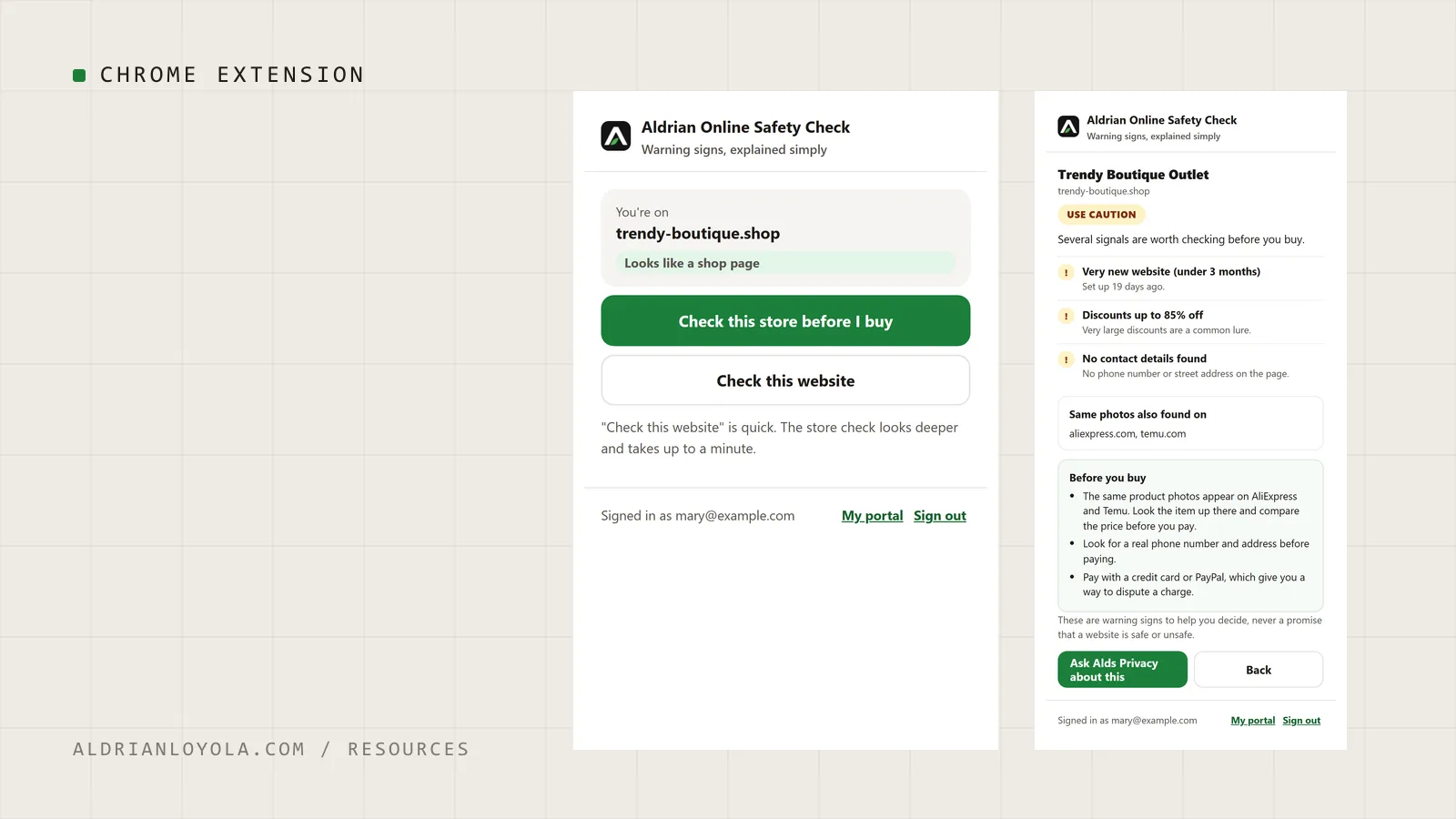
Aldrian Online Safety Check (Chrome Extension)
My Chrome extension for members of Aldrian Online Privacy Support. Press one button on any website to see its warning signs in plain words before you buy, sign in or share anything.
Website Project Brief Template
A fill-in-the-blanks brief that helps you plan a new website or redesign, and get clearer, more accurate quotes from developers.