Taking bookings by phone and chat works until it doesn't. Messages get missed during busy hours. Two staff members book the same slot. Customers who want to book at 10 PM can't. And no-shows leave holes in your day that nobody fills.
An online booking system fixes those problems, as long as it matches how your business actually schedules.
I'm Aldrian, an independent developer. I build booking and appointment systems for clinics, salons, spas, rentals, tours, studios, consultants and service businesses, and I integrate existing booking tools when they're the better fit.
Off-the-shelf or custom?
There are good booking tools on the market. For many businesses, the right move is to choose one and integrate it cleanly into a fast website. I'll help you pick and set it up.
A custom booking system makes sense when:
- Your scheduling rules are unusual, like resources, rooms, equipment and staff that all need to be free at once
- You need booking tied to your own customer records, pricing or inventory
- Per-booking fees or subscriptions are getting expensive
- You want the booking experience fully branded and fast
- You need integrations the tools don't offer
What a good booking system handles
Real availability
Opening hours, staff schedules, breaks, holidays, service durations, buffer times between appointments and minimum notice. Customers see only slots that genuinely work.
Resources and capacity
Rooms, chairs, vehicles, equipment or seats. A booking only goes through if everything it needs is free.
Services and pricing
Different durations and prices per service, add-ons, packages and staff-specific pricing if you use it.
Deposits and payments
Collect deposits or full payments at booking through cards, GCash, Maya or other methods your payment provider supports. Deposits are one of the best ways to reduce no-shows. More on payment integration.
Confirmations and reminders
Instant confirmations, reminders before the appointment by email or SMS, and follow-ups afterward. More on automated notifications.
Rescheduling and cancellations
Customers can reschedule or cancel within your rules, without calling. Freed slots open up automatically.
Staff calendars
Staff see their schedule on their phone, and bookings can sync to Google Calendar or Outlook.
Admin tools
Your team can add walk-ins and phone bookings, block time, move appointments and see the day at a glance.
Booking systems by industry
- Clinics and dentists: doctor schedules, services and patient details. See dental clinic websites.
- Spas and salons: staff selection, service durations and deposits. See spa and salon websites.
- Resorts and rentals: date ranges, units, deposits and policies
- Tours and activities: scheduled departures and limited seats
- Classes and studios: recurring classes, capacity and memberships
- Consultants and coaches: consultations with video call links and intake forms
- Auto shops and repair services: bays, vehicle details and service types
Built to be reliable
Booking systems fail in subtle ways: double bookings when two people book at once, time zone confusion, reminders that never send. I build carefully:
- Slots are reserved safely so two customers can't take the same one
- Time zones handled correctly for international customers
- Every booking stored in a proper database, with backups
- Emails sent through reliable services, from your domain
- Tested with realistic schedules before launch
Fast and simple for customers
Most bookings happen on phones. The flow should take under a minute: choose a service, pick a time, enter details, confirm. No forced accounts, clear prices and an obvious confirmation.
A note on honest demos
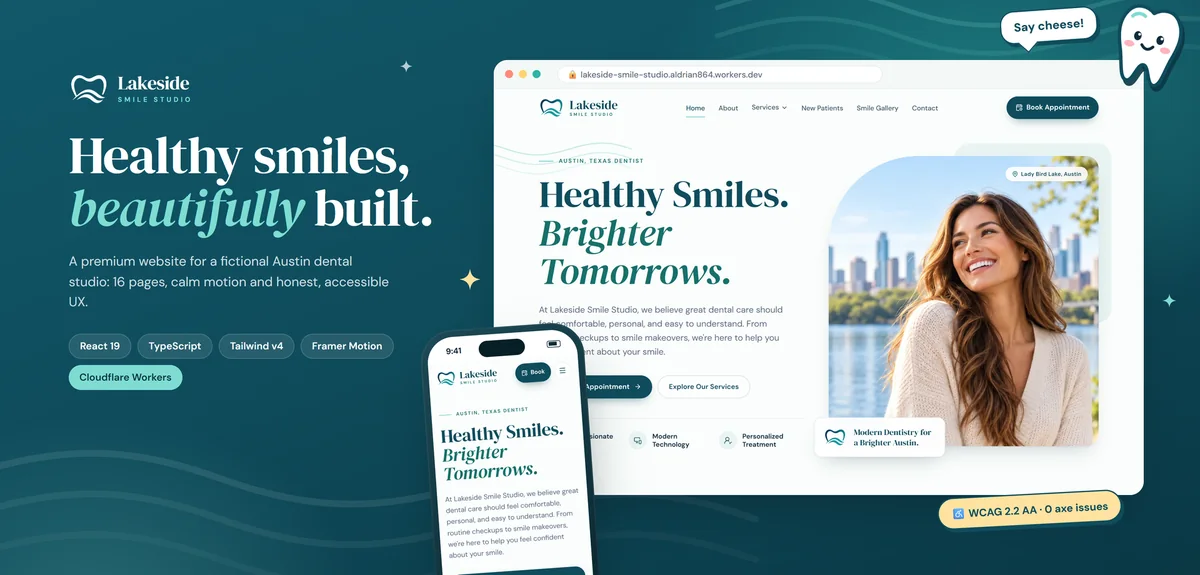
My Lakeside Smile Studio demo shows the kind of clear, accessible, fast small-business website a booking system can sit inside. It's clearly labeled as a demo, with no fake reviews, ratings or credentials.
Common mistakes with booking systems
Showing slots that aren't really free. Leads to awkward calls to reschedule.
No buffer time. Back-to-back appointments with no cleanup or travel time stress your team.
No deposits for high-value services. No-shows cost you money.
Forcing customers to create accounts. Most just want to book.
Bookings that don't reach staff calendars. If staff have to check two places, mistakes happen.
Moving from your current system
If you already take bookings in another tool or a paper diary, switching needs care. I import future appointments and customer details where possible, run both systems side by side for a short time and pick a quiet day for the final switch, so no booking gets lost.
Reports that help you plan
Bookings data tells you a lot: your busiest days and hours, your most popular services, which staff are fully booked and which have gaps, and how often customers cancel or don't show up. A simple report section helps you schedule staff better, adjust prices for peak times and spot problems early.
What it usually costs
Integrating an existing booking tool is a smaller project. A custom system depends on your rules, resources, payments and integrations. You'll get a fixed quote for a clear first version after we talk.
How we'd work
- We talk about how you schedule today and where it goes wrong.
- I recommend an existing tool or a custom build.
- You get a quote with timeline and fixed price.
- I build or integrate, with preview links.
- We test with real schedules and staff.
- We launch, and I train your team.
Let's make booking easy
Tell me how your business takes bookings. I'll reply with a recommendation and a fixed quote.