WooCommerce powers a large share of online stores because it is flexible and you own it. That flexibility is also why so many WooCommerce stores end up slow, fragile or stuck: a theme built years ago, thirty plugins added one problem at a time, and nobody sure which of them is safe to update.
I'm Aldrian Loyola, a WooCommerce developer in the Philippines. I work on live stores where every change has to protect orders, payments and customer accounts.
WooCommerce work I have done
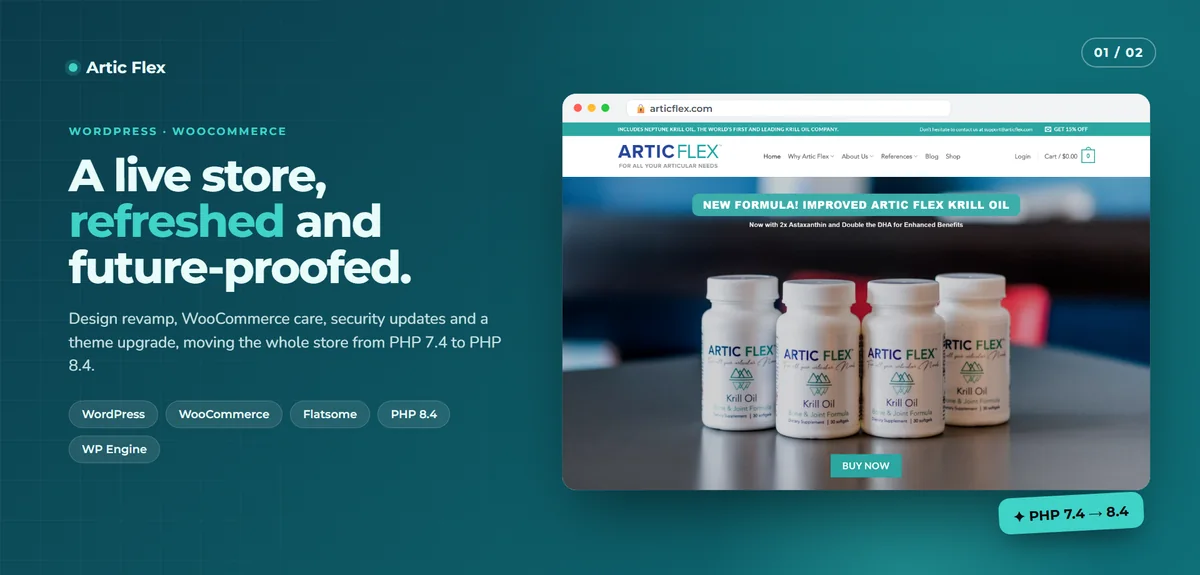
A live store upgraded from PHP 7.4 to PHP 8.4
Artic Flex is a busy krill oil store. I refreshed the design, updated WooCommerce and its extensions, replaced unmaintained plugins with supported ones and reviewed the child theme's outdated WooCommerce template overrides one by one. The few still needed were rebuilt and the rest removed. The whole upgrade was proven on a staging copy first. After going live, 357 pages were checked, and checkout, subscriptions and affiliate forms were tested.
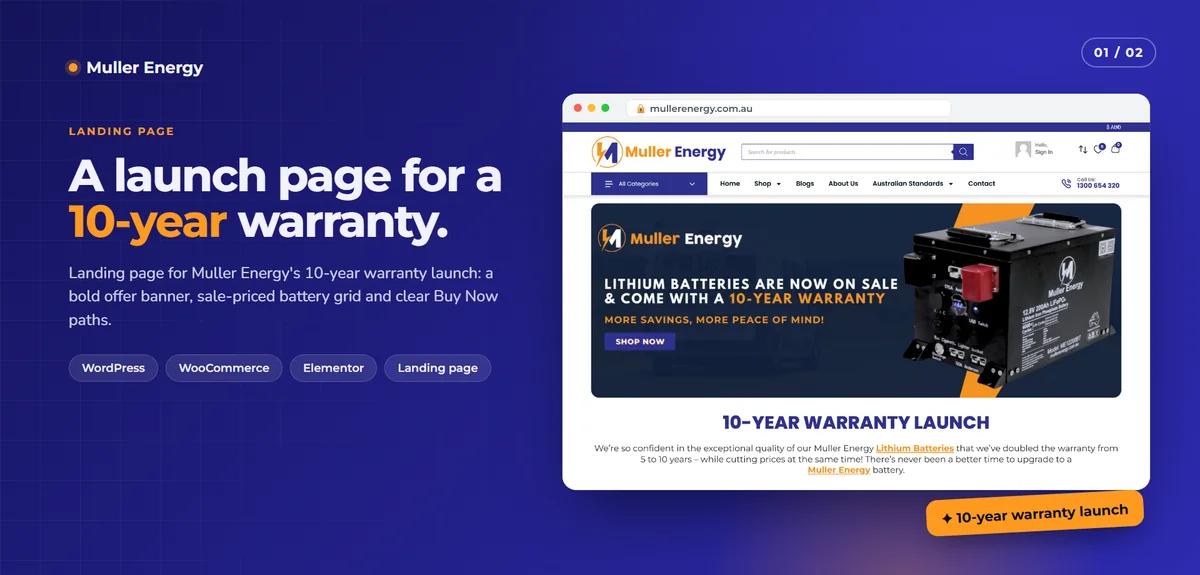
A campaign page built inside a store
For Muller Energy, I built a landing page for a ten-year warranty launch inside their existing WooCommerce store: a product grid where every card shows the warranty badge, the old and new price, and Buy Now and View Product buttons. One focused page carried the whole offer, with every product one click from checkout.
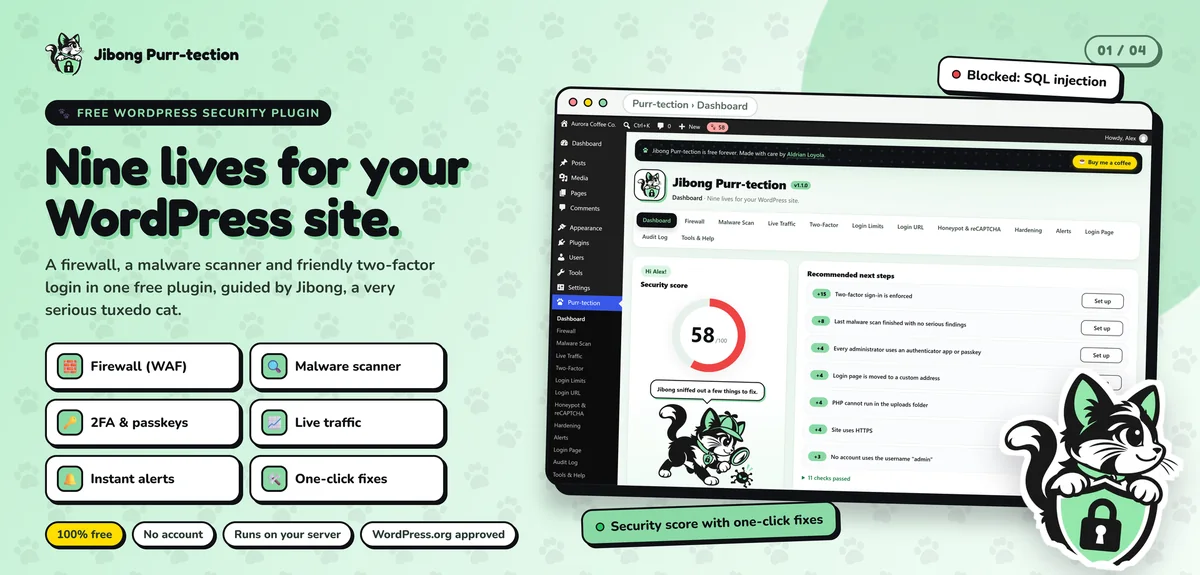
A security plugin on WordPress.org
My own plugin, Jibong Purr-tection, passed the manual code review for the official WordPress.org directory. Stores handle personal and payment data, so I hold store code to that same standard.
What I do for WooCommerce stores
New store builds
Theme setup or a custom theme, product catalog, categories, variations, shipping zones, taxes and payments, tested end to end with real test orders before launch.
Checkout and payment fixes
Abandoned checkouts, failed payments, missing order emails, wrong shipping totals and coupon problems. I find the cause instead of adding another plugin on top. For local payments see GCash and Maya integration and checkout and payment gateway fixes.
Custom features
When no extension does what you need, I write it: custom pricing rules, wholesale and member pricing, product options, booking rules, checkout fields, order exports and connections to couriers, accounting or inventory systems.
Speed
Slow stores lose sales at every step. I look at images, caching that respects carts and logged-in customers, heavy plugins, database tables that have grown for years, and hosting.
Safe updates and upgrades
WooCommerce, WordPress and PHP all move forward. I update on staging, test the paths that earn money, and only then apply to the live store.
Ongoing store care
Monthly updates, backups, security checks and small changes, so the store keeps working while you sell.
How I work on a live store
- Review. I look at the store, its theme, plugins and hosting, and tell you what I find.
- Scope and fixed quote. You know what is included and what it costs before anything changes.
- Staging first. Work is done on a private copy, never directly on the live store.
- Test orders. Cart, checkout, payment, emails and stock are tested with real test orders.
- Launch at a quiet hour. Changes go live when traffic is low, with a backup ready.
- Follow-up. I check orders after launch and stay available.
Selling in the Philippines
Local stores have their own needs, and I build for them:
- Local payments. GCash, Maya, cards, bank transfer and cash on delivery, through supported gateways.
- Couriers. Shipping rates by region and island group, with courier options customers recognise.
- Phone-first shoppers. Most local buyers shop on a phone, often on mobile data, so pages must stay light.
- Trust signals. Clear contact details, return policy and order tracking matter a great deal to first-time buyers here.
Signs your store needs a developer
- Customers say checkout failed, but no error appears for you.
- Updates have been postponed for months because nobody wants to risk it.
- Product pages take several seconds to load on a phone.
When WooCommerce is the right choice
WooCommerce suits you when you want to own your store, need custom behaviour, already use WordPress, or want to avoid monthly platform fees that grow with your sales. If you want the simplest possible setup with nothing to maintain, Shopify may suit you better. I build on both and will tell you honestly which fits. See eCommerce website development for a comparison.
Start with a store review
Send me your store address and what is bothering you. I will reply with what I see and a fixed quote. Start a project or send a message.